


What’s new in NemoStudio Version 25.0.0.0
Below are the recent changes in NemoStudio web, cloud and its modules.
New look in the workspace
We’re pleased to announce a redesigned workspace in NemoStudio, bringing a refreshed user interface with significant changes.

Create a new patient
All patient information is now grouped and organized on a single page.

Select a patient from the search field
The selected patient’s name now appears directly in the search field, featuring a vertical menu icon for more options and a close icon to exit the patient case and clear the search.

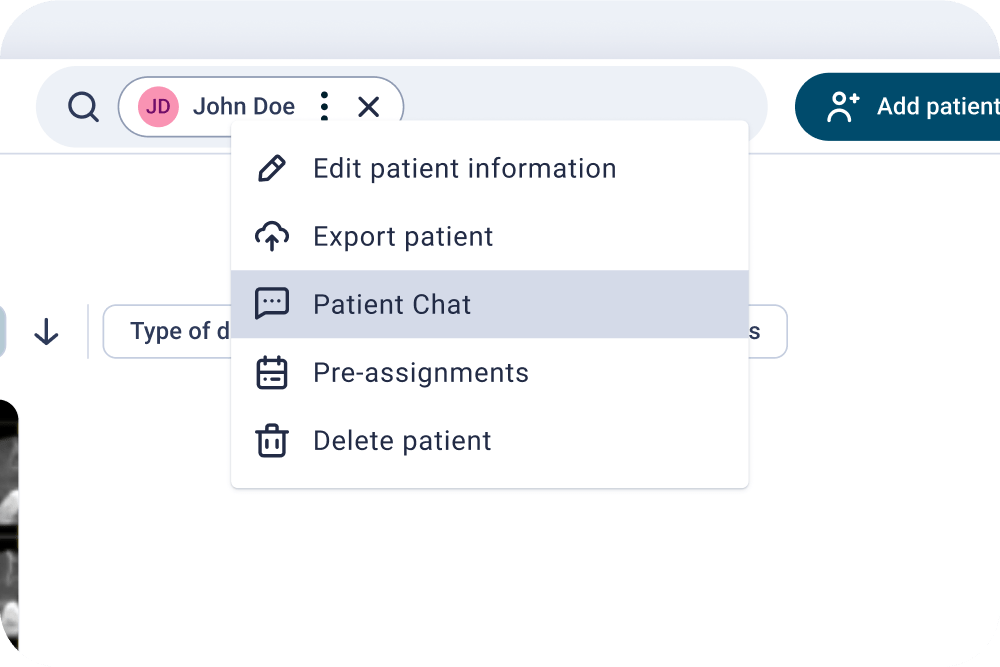
Access patient options in the vertical menu
Click on the three-dot icon to the right of the patient chip in the search bar. This menu includes:
- Patient chat.
- Export patient.
- Edit patient information.
- Delete patient.

Add records more easily
If the patient is new, an “empty status” will appear, with an illustration and description telling you how to add records for your patient. You can also do this from the “add records” button in the upper right area. If the patient already has documents, use this button directly.

Ready-to-use meshes
During import via “Add records”, meshes are automatically repaired, allowing you to start planning immediately with no extra steps.

Find what you need with new filters
Now you can filter documents by:
- Document type.
- Modification date.
- Series group.

Customize your visual experience
Document view adapted to your preference.
- Choose between icon view or list view.
- Customize icon size and format.
- Enable the option to open documents in a new window from the “Other options” menu.

Smarter imports with AI
Use the new “Detect diagnostic record with AI” to automatically classify photos and X-rays without templates.

Batch photo upload using templates
Enable bulk upload and let the system auto-classify images based on the selected template.

Patient chat
Send messages to your team or end client via the patient’s vertical menu.
Document-specific chat
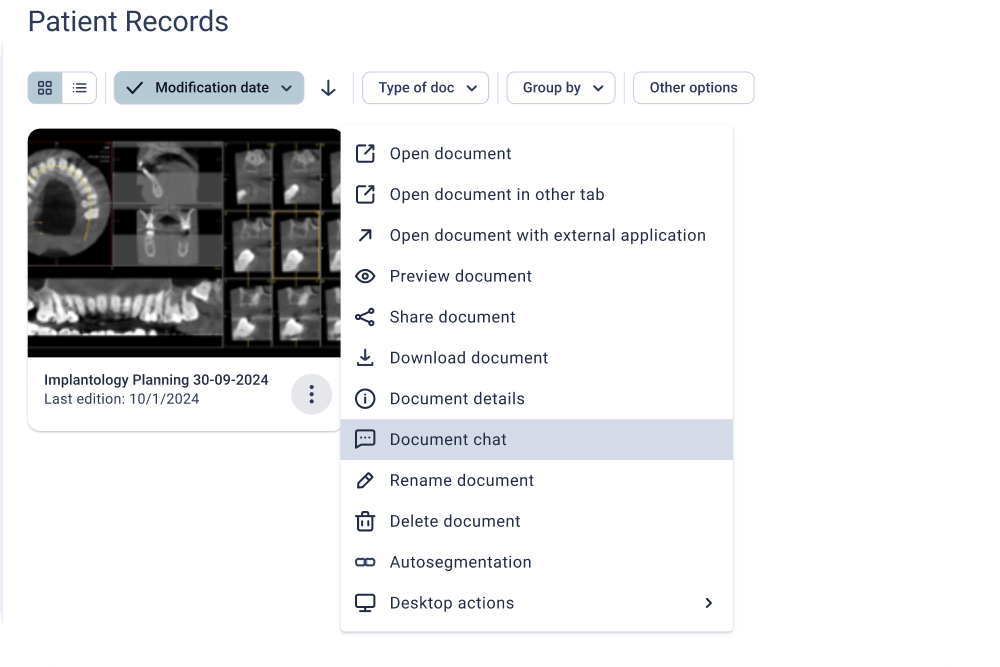
Each document includes its own chat. Access it from the document menu to leave comments or resolve questions.
Easier access to center administration
The center administration button is now in the left sidebar. From there, you can:
- Switch between centers linked to your user account.
- Access all center configuration settings.

General center info
Name, location, language, IDs, storage used, number of patients, security.

Enable file cache
You can now enable File Cache which will allow you to reduce download times by more than 90% *
*The calculation is based on time reductions in recurring processes in read and write files.

User management
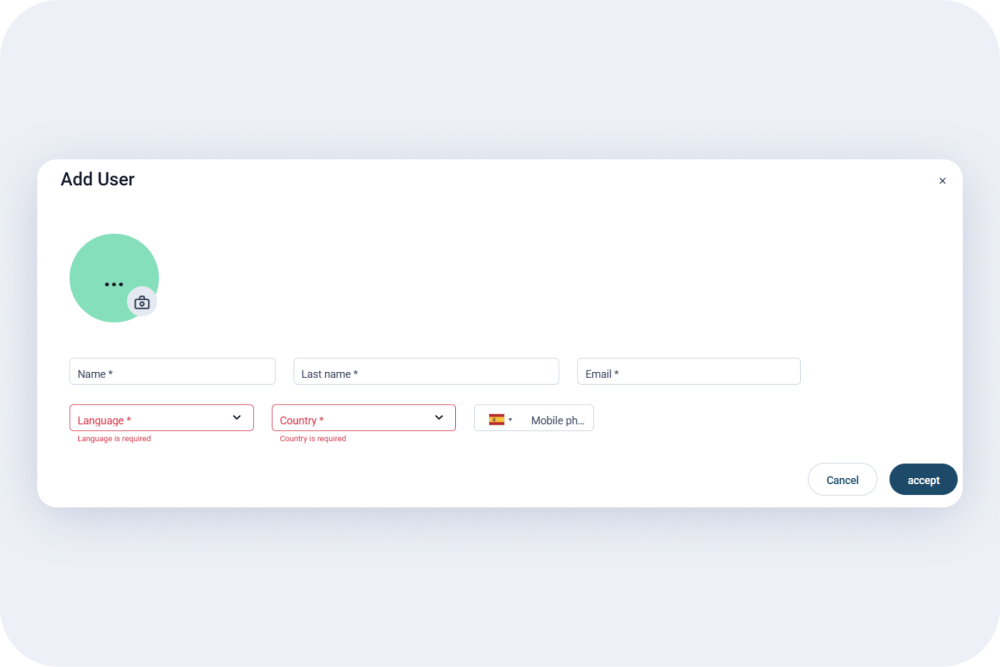
Add, edit, or remove active users.
Statistics
Access visual charts with key information about your center: registered patient count, documents generated during a specific period, and yearly storage consumption.

More complete user profile
Change your password easily: Quickly and securely update your password from your profile.

Inactive session control
After 15 minutes of inactivity, the session will automatically close. When you return, you’ll resume exactly where you left off.

License control per user
Each user:
- Has an exclusive session.
- Uses an active license while connected.
- Cannot share their ID with others.

We improved the editor’s tools so that you can work with total freedom:
- Crop without aspect ratio lock.
- Or define an exact aspect ratio for each image.

New NemoScan Web Version!
Now you can plan NemoScan cases directly in your browser.
- View in 3D and MPR slices.
- Adjust implant, pin, and abutment positions.
- All from any device, no installation required.
Fresh, user-friendly new interface for both the editor and shared viewers.

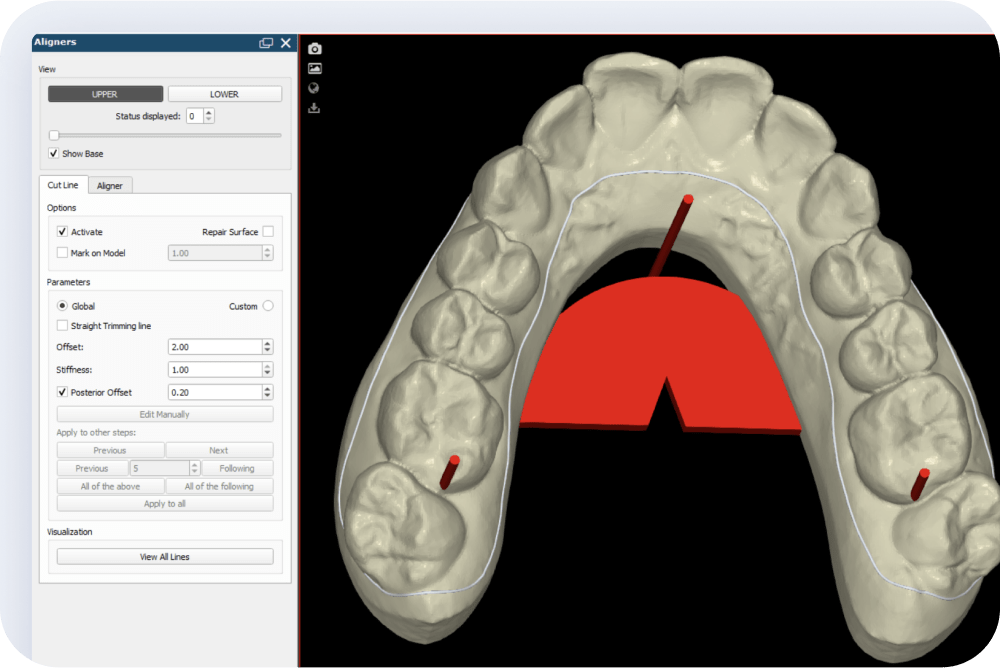
Custom posterior offset in biomodels
You can now adjust the offset specifically in the posterior area of the biomodel (distal to the last molar).
A useful feature for cases with limited residual gingiva, incomplete molars or when posterior movements are not planned. More control, better adaptation.
Range-based export
With the setup export parameters defined, you can export biomodels belonging to specific stages at any time.

Speed up your exportations and save time
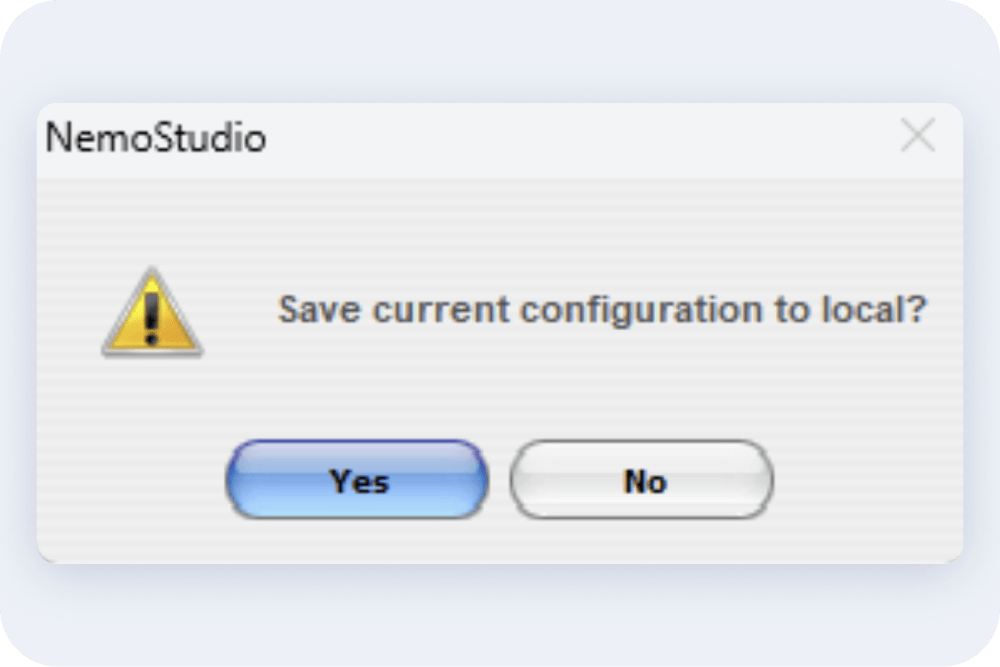
NemoStudio now automatically saves your configuration settings, such as aligner offsets, text sizes, virtual wax and more. In addition, you can customize export settings (file names, extensions, cutting lines, aligners, passive retainers) and set them as defaults to work faster, without repeating steps.
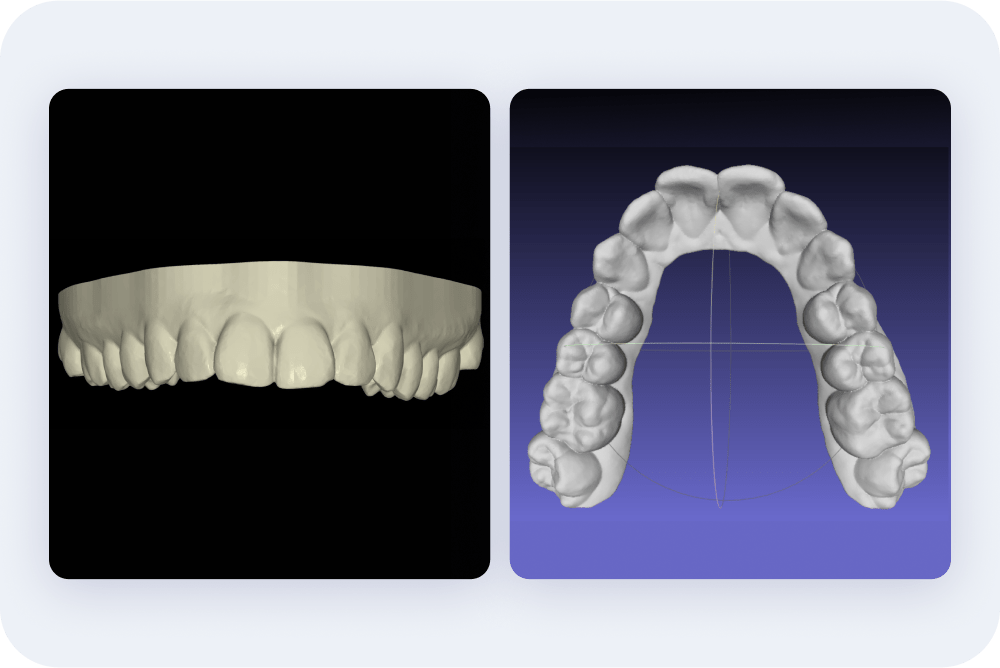
Higher-definition biomodels and aligners
Thanks to improvements in virtual wax-up, biomodels and aligners are now generated with improved definition, smoother contours and a greater detail.
Additional bases and accessories for more flexible and personalized printing
We are continually expanding the elements available, adapting to clinical needs and strengthening the design options for each case.

Compare treatment timelines
Overlay two timelines to analyze and compare dental movements.
Also detect differences visually and intuitively. A powerful tool for case planning and validation.

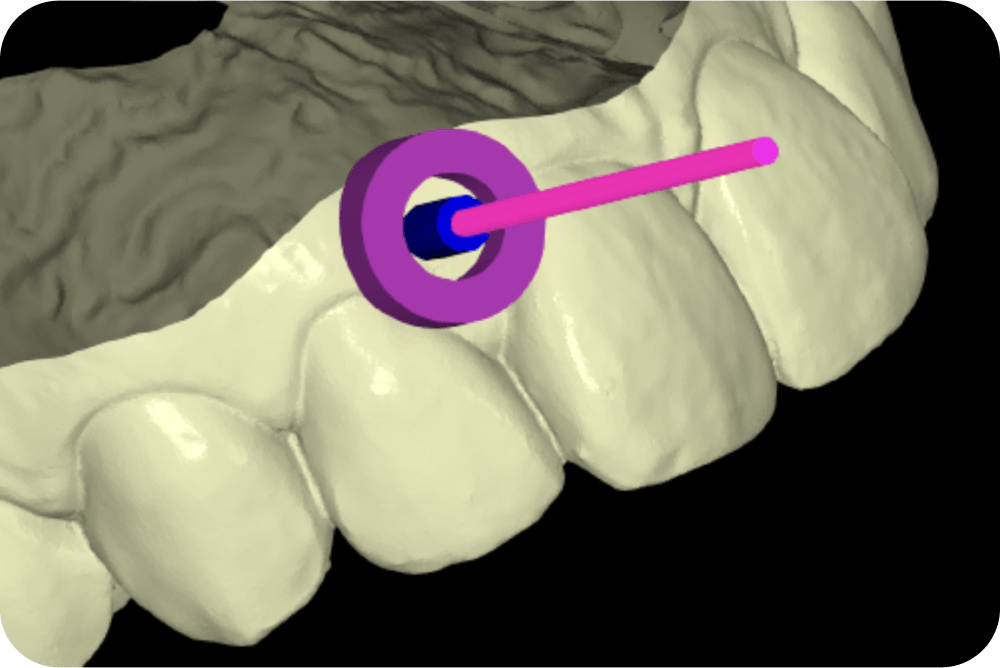
Versatile miniscrew guides
Create individual cylinders around micro-screws, allowing you to design custom devices with greater precision and freedom. Ideal for orthodontics and advanced applications.
Improved stackable guide workflow
Simplified surgical guide design to make it more agile and easier to use. The new functionalities offer you greater flexibility in design, allowing you to adapt each case with greater precision and comfort.
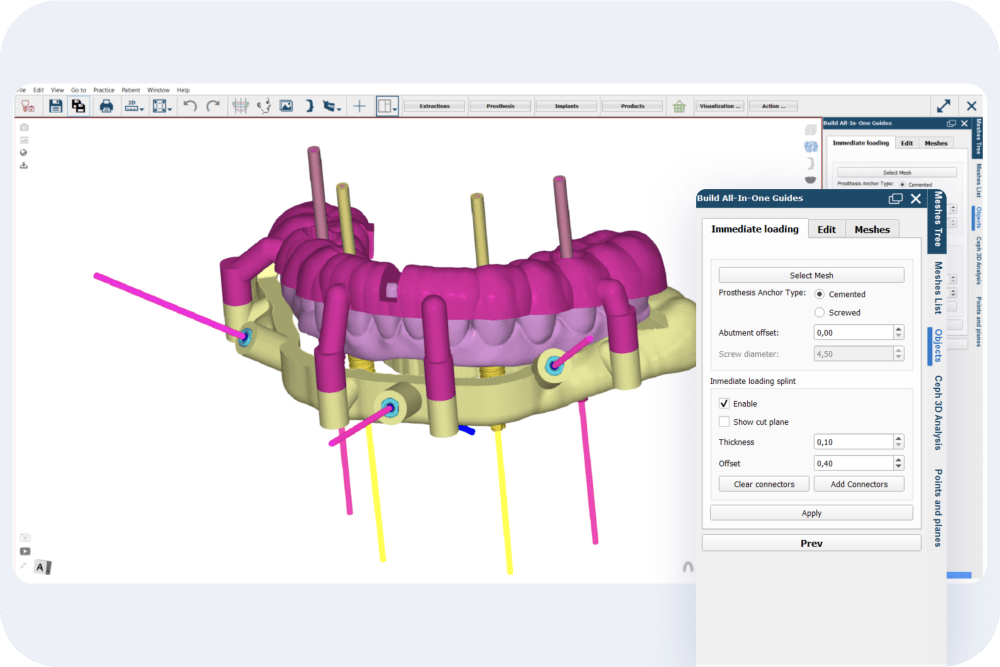
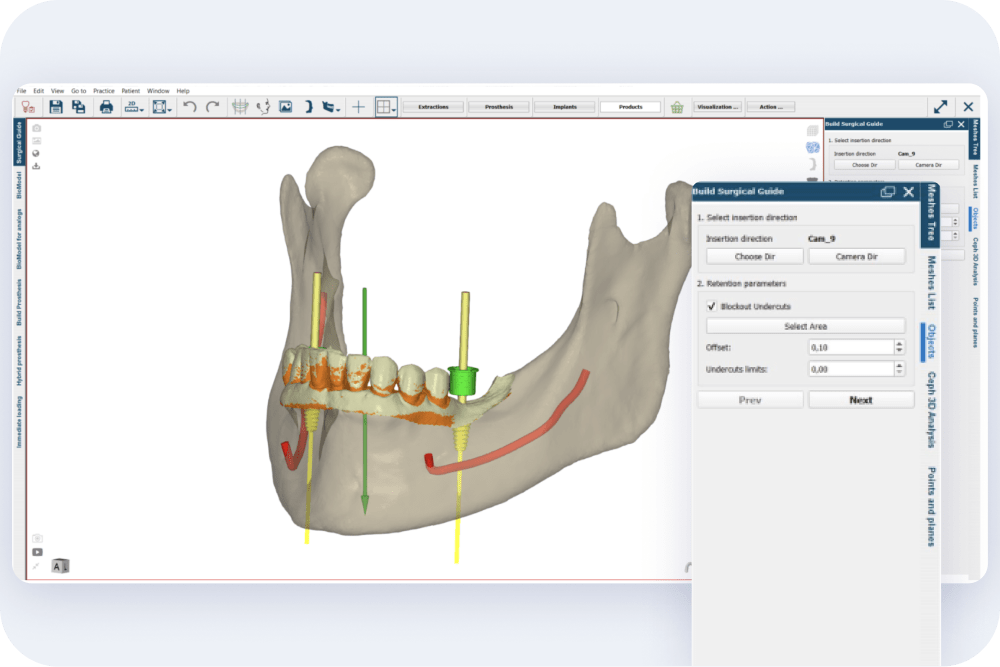
Surgical guides: Simple Design
All you need now is a unique field to define the offset in your surgical guides, you will find it at the beginning of the design. Fewer steps, more efficiency.
More options for surgical reports
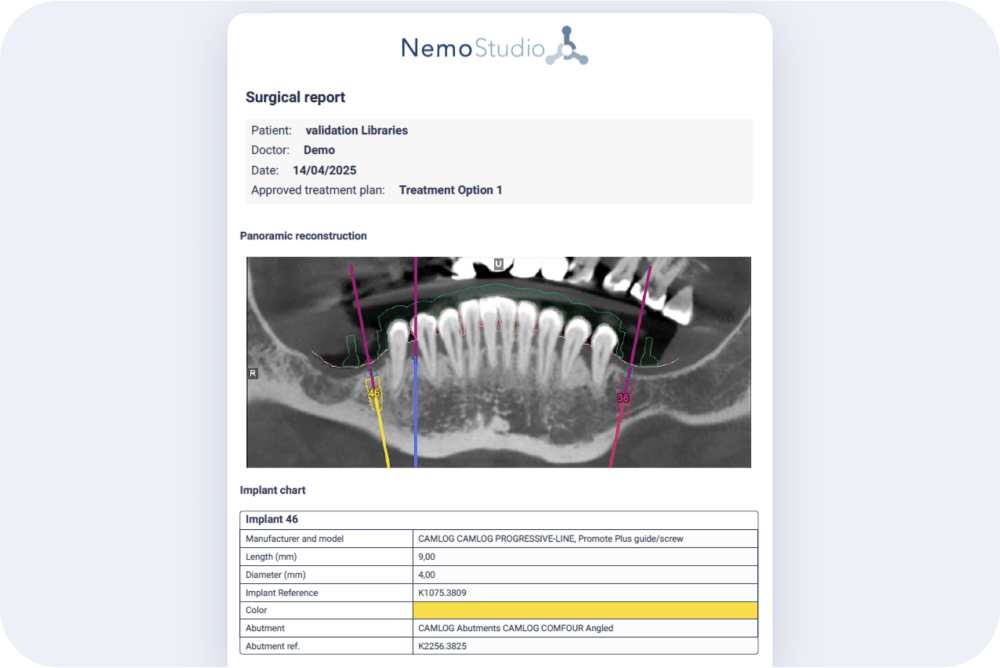
You can now print a summarized surgical report directly from the implant treatment plan. It includes all the key information – implants, surgical box, attachments and pins – organized in clear and concise tables, ready to accompany you to surgery or share with your team.
Mesh orientation fix: Once the orientation of a mesh has been manually changed, the mesh returns correctly to the “Not editable” state, as expected. This improves the control over the meshes once they have been adjusted.
Implant libraries filter: When adding implants only implant libraries will be displayed and not abutment libraries.
Improvements of points on osteotomies of autosegmented cases: correction of errors that caused points to become disoriented when applying the automatic orientation, as well as when performing osteotomies, which forced them to be manually repositioned. Now, the points remain correctly positioned.
Orthodontic setup report improvements: The visualization, reading and organization of the information in the orthodontic setup reports has been optimized, improving their clinical clarity. In addition, it is now possible to manually customize NemoCast Type 2 reports, offering greater control over the content presented.
Correction in the automatic movement of teeth to brackets: Fixed a bug in the “tooth-to-bracket” function that caused the bracket to be partially submerged in the tooth. Now, the bracket base is correctly positioned on the buccal or lingual side of the tooth, ensuring a precise and functional fit.
Improved extruded mesh fusion: Fixed an issue that caused the software to crash when the extruded mesh was not generated correctly during the fusion process. Now, if a failure occurs during the generation, the system notifies the user and maintains the stability of the workflow avoiding losses or interruptions.
Improvements in aligner cutting lines and file exporting: We optimized the behavior of aligner cutting lines, solving several problems that could appear in specific clinical scenarios:
- Elimination of unexpected folds.
- Reduction of excessive points in the line.
- Correction of line positioning in posterior teeth with attachments.
In addition, you can now save aligner files with a custom extension, providing more flexibility in file management.
Fixed a bug that prevented the display of frontal images in the NemoCeph module. All images now open correctly.
Fixes the mesh alignment and display panel in NemoScan.
- Fixed a bug in the mesh alignment panel that did not allow disabling objects, limiting view customization.
- Also corrected the display of implants in 2D slices within NemoScan.
Fix in gingivectomy and preparation guides in NemoSmile: Fixed a bug during the design of gingivectomy and preparation guides in lower arches. Cuts are now generated correctly, ensuring accurate planning for the clinical procedure.
Improved performance with the desktop cache option, improving data loading and processing speed, optimizing your workflow.
NemoCast web viewer enhancements: Several optimizations have been implemented to improve the web viewer experience, including:
- Visualization of 3D meshes with realistic textures.
- Virtual extractions with adequate deformation of the gingival mesh, improving accuracy in planning procedures.
- Visualization of micro-screws in 2D slices.
- Synchronization of the lock icon in the timeline with the movements in the 3D environment.
- Posibility to modify the selected maxillomandibular relations directly from the viewer, without the need to leave the environment.
Fixed a bug that caused the software to crash when trying to open the “Clinic Settings” option in the cloud version.
Fixed a bug in the visualization of movements in NemoFab. Now, the movements are displayed correctly and synchronized.
New analyses in NemoCeph 2D and improvements in 3D cephalometric analyses.
- New analyses have been incorporated into NemoCeph 2D, expanding the options available for cephalometric analysis.
- Improved performance of the 3D cephalometric analysis, including Arnett Cephalometric Analysis, with correction of the angle display, ensuring an accurate and faithful representation of the results.
Languages translation improvements: Translations have been corrected and improved in all languages in which the software is offered, ensuring a more accurate and consistent user experience in each language version.
Several improvements have been made to the surgical kit settings panel in NemoScan, including:
- Reference of the toppers to be used, facilitating their selection and use.
- Improvements in the internal functioning of the correlation of elements on the kits, optimizing the precision and correct functioning of the different systems.
Correction in the synchronization of safety alarms in implant planning in NemoScan. Now, alarms are managed in a consistent and synchronized way, ensuring more accurate and secure control during planning.
Improved “Add implants at X distance” functionality in NemoScan: Fixed a bug that allowed multiple implants to be added to the same tooth when adding implants simultaneously. Now, the system ensures that only one implant per tooth is added using this function.
Speed improvements when moving implants during the planning: Improvements have been implemented that speed up the process when moving implants during the planning phase.
Correction rotation axes in NemoCast: Adjustment of rotation axes without the need to resegment: Now, when changing the axis, the position is automatically updated without the need to resegment the tooth, speeding up the process.
Improvements have been implemented in the operation and use of the implant rotation and alert setting panels in NemoScan. These optimizations provide a smoother user experience.
Fixes in the export of case-specific biomodels in NemoCast that improve the user experience.
Fixed software crashes that occurred when adding abutments in NemoScan when viewing implants in the “centered implants” layout. Abutments are now added correctly in any type of view.
Fixed the problem that prevented adding micro-screw abutments in NemoCast. The corresponding libraries are now available for adding abutments.
Fixed an error that occurred when changing the Setup name. Now, when changing the Setup name, the new name is updated correctly.