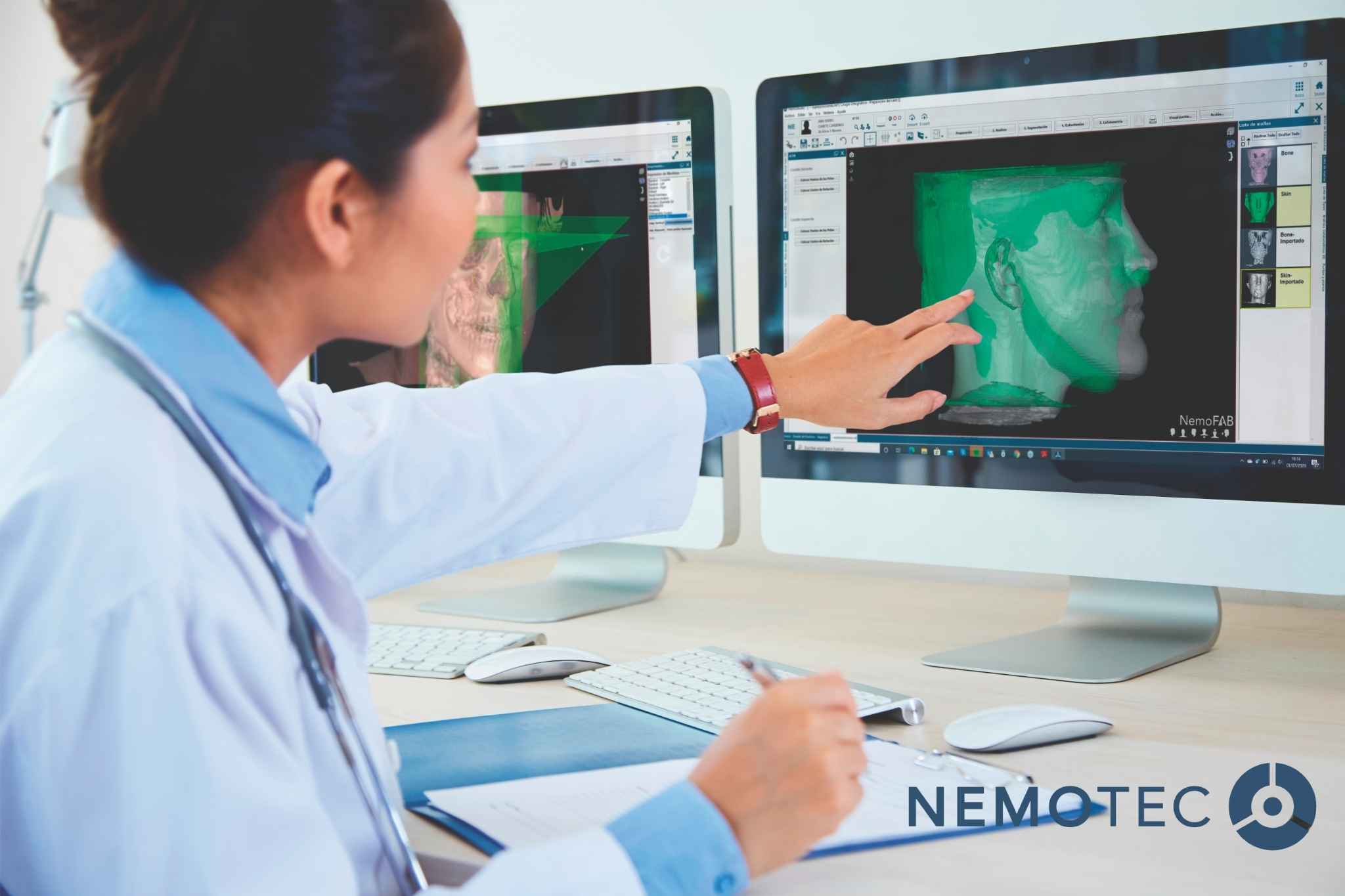
What is dental software and what is it used for?
A dental software is a technological solution designed to centralize, organize and optimize the clinical and administrative processes of a dental practice. Its main function is to consolidate the patient’s case file (data, documentation and images) and ensure that the team works within a consistent and controlled workflow.
In practical terms, it allows you to:
- Manage medical records and associated documentation (consents, reports, attachments).
- Coordinate the schedule based on resources (treatment rooms, staff, procedure times).
- Draw up and monitor treatment plans and budgets, including follow-up.
- Manage payments, invoicing and reporting.
- In advanced settings: integrate digital diagnostics and 3D planning, linking volumetric images and scans.
The aim is not to introduce more tools, but to reduce friction, avoid duplication, and maintain information within a single source of truth.
Key features of modern dental software
Clinical and administrative management
In professional clinics, the difference lies not in having features, but in how they are implemented to support the team’s actual work.
Critical areas:
- Structured patient records: anamnesis, odontogram, periodontics, clinical progress and attachments.
- Advanced scheduling: chair-side planning, practitioner-based planning, actual clinical times and resource allocation.
- Budgets and treatment plans: versioning, phases, alternatives and follow-up.
- Billing and financial control: month-end closings, internal traceability and accounting consistency.
- Management reports: production by professional, occupancy, cancellations/no-shows and plan acceptance.
Operational recommendation: the evaluation should be carried out through a complete cycle (initial visit → diagnosis → planning → quote → acceptance → treatment → follow-up), not via a generic demonstration.
Digital diagnosis and 3D planning (CBCT, STL, DICOM)
In a clinic with a digital workflow, the software must allow for consistent working with:
- DICOM (CBCT): volumetric data and anatomy.
- STL/PLY/OBJ: surfaces from intraoral scanners or digital models.
The clinical value becomes apparent when the system enables these sources to be aligned and viewed together, facilitating more precise and consistent planning in specialties such as implantology, advanced orthodontics and orthognathic surgery.
Integration with intraoral scanners and 3D printers
Interoperability is a strategic requirement. In professional settings, it is common to work with different manufacturers, laboratories and manufacturing workflows.
Therefore, the following are key elements:
- Compatibility with standard formats (import and export).
- Efficient workflow to the laboratory (without unnecessary conversions).
- Ability to generate deliverables for manufacturing (guides, splints, models, etc.) as required.
Recommended decision criteria: check whether the software maintains the clinic’s technological freedom or introduces dependence on a closed ecosystem.
3D visualization for patient communication
3D visualization has a direct impact on:
- Understanding of the treatment plan, particularly in complex cases.
- Alignment of expectations (phasing, timelines, limitations).
- Consistency in clinical communication and the informed consent process.
It is not an accessory element: well-integrated, it improves the quality of the care process and coordination between clinic and laboratory.
Benefits of digitizing your dental practice
Improved diagnostic accuracy with AI
Artificial intelligence applied to the dental setting should be seen as a tool to enhance consistency in specific tasks (detection, segmentation, comparison), whilst always maintaining clinical oversight.
The recommendation for a professional practice is to assess:
- Actual scope of AI (what it does and what it does not do),
- Traceability,
- Integration into the workflow,
- Validation criteria.
Digital workflow optimization
The most tangible benefit of digitization is the reduction of inefficiencies:
- Fewer manual steps,
- Less rework,
- Reduction in errors due to versioning or loss of information,
- Continuity of the case from diagnosis to execution.
In terms of management, a robust workflow translates into freed-up clinical time and more predictable processes.
Increased acceptance of complex treatment plans
In advanced treatments, acceptance often depends on the clarity of the plan and the perception of clinical control.
Software that allows you to:
- Present the case in a structured manner
- Visualize stages
- Document alternatives
It facilitates more precise clinical discussions and reduces patient uncertainty, without the need for aggressive sales pitches.
Compatibility and open architecture with no hardware dependency
The practice evolves: it changes equipment, expands its premises, adds new specialties or integrates new suppliers.
For this reason, an open architecture offers:
- Scalability
- Technological flexibility
- Lower operational risk in the medium term
- Better return on investment.
Types of dental software by specialism
Orthodontics and digital aligners
This typically requires:
- Setups and movement simulations.
- Comparison of stages/progress monitoring.
- Export for manufacturing (depending on workflow) and visual communication.
The key criterion is the system’s ability to sustain a repeatable and traceable workflow, not merely “having a module”.
Implantology and guided surgery
Here, the core focus is prosthesis-based planning and surgical guides:
- CBCT (DICOM) integration + scanning (STL/PLY).
- Prosthesis-oriented planning and guide design.
In implantology, the software must provide a robust process, not merely serve as a visualization tool.
Orthognathic surgery and maxillofacial planning
Typical requirements:
- 3D segmentation and analysis.
- Planning of movements, occlusion and communication with the surgical team.
- Traceability of the plan and its evolution (complex cases = multiple versions).
Here, the traceability and consistency of the plan are critical.
Smile design and dental aesthetics
This typically involves:
- 2D/3D design, mock-ups and phased planning.
- Communication with the patient and the laboratory.
- Managing expectations: what is “possible” versus “likely” depending on the context.
The value lies in avoiding duplication and ensuring a seamless process from diagnosis to the final result.
Common mistakes when implementing dental software
Underestimating the learning curve
The greatest risk is not technical: it is human.
- If the team does not adopt it, the software “doesn’t work”.
- If there are no clear roles, there will be chaos (who records what, when, and to what standard).
Practical mitigation:
- Role-based training (reception, assistants, doctors, management).
- 2–3 real-life test cases (one simple, one medium, one complex).
- “Done” checklist by process (first visit, quote, follow-up).
Choosing closed and non-scalable systems
Closed systems manifest themselves in:
- Proprietary formats
- Limited integrations
- Hardware dependency
- Difficulty collaborating with external laboratories.
In professional clinics, interoperability is not an extra: it is a criterion for operational safety.
Failing to analyze the clinic’s actual workflow
This is the number one mistake.
Before choosing, define:
- What comes in (DICOM, STL/PLY, photos, documents).
- Who produces it and who validates it.
- Where it is stored and how it is versioned.
- What is delivered (plan, guide, report, consent forms).
When a supplier clearly describes how they connect DICOM with STL/PLY/OBJ in a fusion protocol, they are showing that they understand the actual workflow. If they avoid this or oversimplify it, it is usually a bad sign for advanced clinics.
Frequently asked questions about dental software
Is it mandatory for it to be compatible with any scanner?
It is not mandatory, but in an advanced clinic it is highly recommended to avoid dependence on a single manufacturer. Compatibility via standard formats and reliable export reduces risk and improves collaboration with laboratories.
What technical requirements does a clinic need?
It depends on the type of software (management vs 3D planning), but as a baseline:
- Computer(s) with sufficient performance (GPU/CPU if there is heavy 3D processing).
- Storage and backups.
- A stable network (if cloud-based) and role-based access policies.
- Data protection measures: access control and internal traceability.
How long does implementation take?
There is no universal figure (it depends on migration, training and complexity). The professional way to estimate this is in phases:
- Base configuration (users, roles, templates).
- Migration (live data first, historical data later if applicable).
- Training by roles.
- Pilot with real cases.
- Go-live and intensive support.
How does it impact the clinic’s profitability?
The impact typically comes from 4 levers:
- Time (fewer manual tasks, fewer errors, less rework).
- Capacity (better scheduling and resource management).
- Conversion (better communication of the plan, especially in complex cases).
- Control (KPIs for decision-making: occupancy, no-shows, acceptance rates).